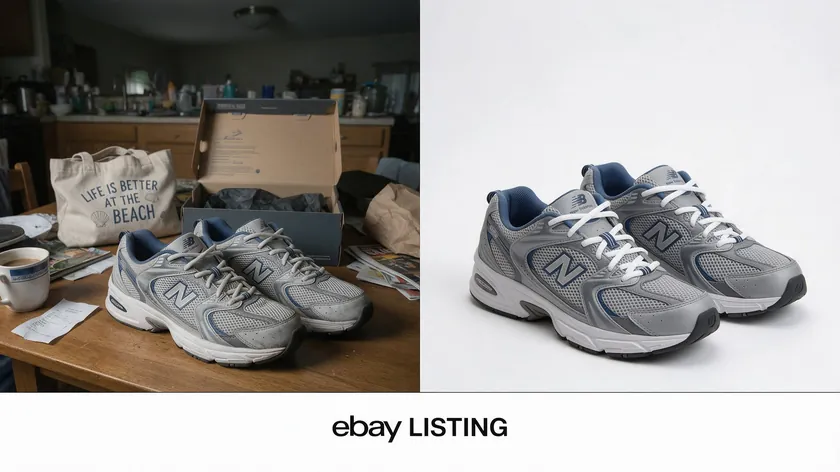
eBay prefers clean white or very light backgrounds for primary product photos, and getting this right can make the difference between a scroll-past and a sale. This article covers eBay-only rules, practical shooting tips, and category-specific strategies so your listings stand out in search results.
Table of Contents
Why Background Choice Matters So Much for eBay Photos
Buyers scroll through eBay search results at high speed. The first thing they process is the listing thumbnail—before the title, before the price.
If your background is cluttered or dark, your product disappears into the grid. A plain, neutral, uncluttered background highlights the product and makes it the undeniable focal point of the frame.
A white or light-colored background boosts the clarity of every detail—stitching, scratches, labels, and ports. When buyers can inspect key details without distractions, trust goes up and return rates drop.
Images should accurately represent the product without distractions, and a clean backdrop is the simplest way to achieve that.
Background consistency across your eBay listings—same white tone, lighting, and framing—builds a recognizable “mini brand” even if you’re a small seller. Maintaining consistency in backgrounds builds trust with buyers because it signals reliability.
eBay’s search algorithm also favors listings with clean, high-quality primary photos, so background choice indirectly affects ranking and click-through rates. Sellers who switched to consistent white main images reported increased impressions and faster sales.
Unlike Amazon, which enforces a strict pure white background requirement, eBay is more flexible—but the same visual principles apply. This article focuses on what works specifically for eBay photos and eBay sellers, not a cross-marketplace guide.
eBay Guidelines That Affect Your Background Choice
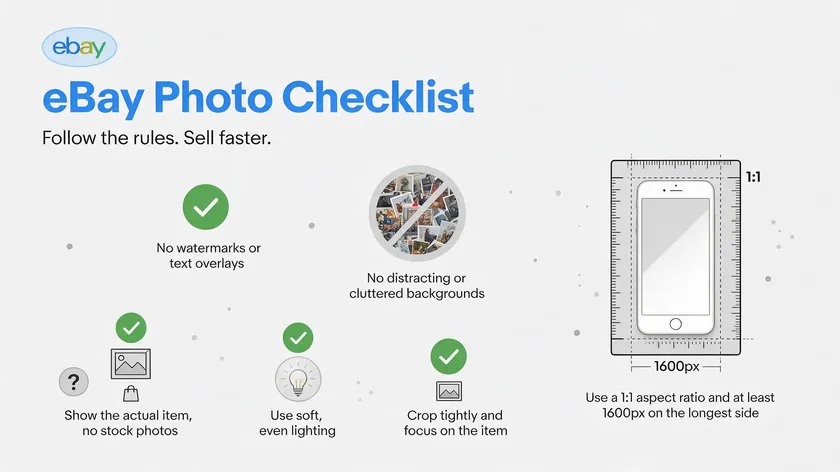
While eBay’s image policy changes over time, the safest long-term approach for backgrounds has stayed the same: bright, neutral, and distraction-free.
You must include at least one image per product listing on eBay, and most sellers use several to show the item from multiple angles.
Here’s what the current eBay picture policy requires:
- Primary images must clearly show the actual product. Placeholder images are not allowed in eBay listings, and neither are illustrations or logos on colored or patterned backgrounds.
- Heavy text overlays, borders, watermarks, artwork, and graphic elements in the background are prohibited and can get your listing demoted in search results.
- eBay recommends using a white background for product images. Images must have a white or light grey background, particularly for the main image in categories like electronics, fashion, and home goods.
- eBay requires a minimum of 500 pixels on an image’s longest side, but 800–1,600 pixels on the long side is recommended for the best display across screen sizes.
- Always double-check the current “Images, videos, and text policy” page on eBay (US or your local site), especially if you sell in regulated categories like health or motors. Getting these basics right up front saves you from having to reshoot or re-edit later.
White Background vs. Other Backgrounds: What Really Works on eBay
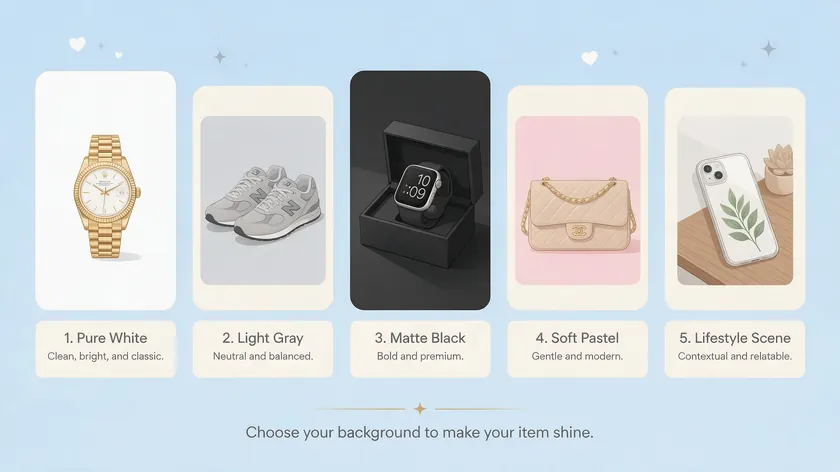
This section compares pure white backgrounds, light neutrals, and lifestyle scenes strictly from an eBay performance and compliance angle. Use a solid background to avoid distractions, but which shade works best depends on your product.
| Background Type | Best For | Watch Out For |
|---|
| Pure white (#FFFFFF) | Primary images in all categories | Can wash out very light items |
| Neutral light gray (#F5F5F5) | White or light-colored products | Too dark, and it looks dingy |
| Solid matte black | Jewelry, watches, high-end items | Not ideal for primary images |
| Solid pastel or muted colors | Boutique-feel listings (beige, soft blue) | May clash with eBay’s UI |
| Lifestyle/contextual | Secondary images only | Distracting in thumbnails |
Pure White Backgrounds (#FFFFFF)
A pure white background is still the best default for primary eBay product images. It looks clean in search thumbnails, aligns with buyer expectations, and avoids most policy issues.
eBay recommends a white background for product images, and sellers who use it generally see better image quality in Google search and on-site results alike.
Light Grey or Off-White Backgrounds
A neutral light gray background prevents lighter items from blending in when selling clothing or white electronics. Hex values around #F5F5F5 or a pale cream are acceptable for some categories when you want a softer look.
Darker backgrounds enhance visibility for shiny items like jewelry, and solid matte black backgrounds create dramatic contrast for high-end items—though these work best as secondary or detail shots rather than your primary eBay image.
However, avoid colorful or busy backgrounds in product photos, as very dark or saturated colors can hurt click-through on the main image. Solid pastel or muted colors evoke a boutique feel for listings but are best reserved for secondary shots.
Lifestyle Backgrounds (Secondary Images Only)
Lifestyle backgrounds work mainly as secondary images that show the product in use—for example, a coffee maker on a kitchen counter.
Keep the primary eBay photo on a white backdrop. Avoid busy patterns or textures to maintain focus on the product; brick walls, cluttered desks, and patterned bedding distract from the item and make defects hard to spot.
If your original shot has a messy or colored background, use RemoveBackground.app to switch it to a white background while preserving natural shadows.
How to Create a Clean White Background for eBay Pictures
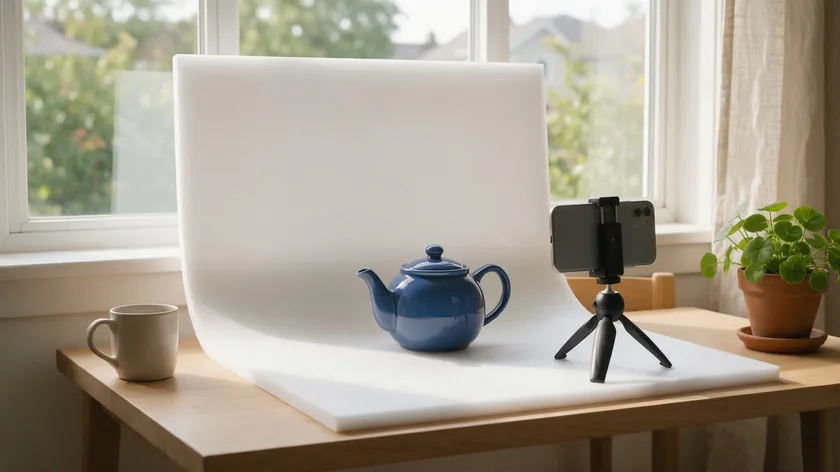
You don’t need a studio—just a simple setup and basic editing to get white backgrounds that look like professional eBay product images.
- DIY setup: Tape a white poster board or foam board into an L-shape near a window—one piece as the “floor,” one as the “wall.” A white sheet draped over a chair works too. This creates the classic white backdrop look buyers recognize from big sellers.
- Light box for small items: Use a photo tent for consistent background quality when photographing jewelry, collectibles, or cosmetics. Their built-in diffusion keeps the white background even without harsh hotspots.
- Use natural lighting: Natural light enhances product visibility and professionalism. Shoot near a north-facing window between 10:00 and 15:00 local time, and turn off overhead yellow lights that tint the background. Avoid direct sunlight to prevent harsh shadows.
- Reflectors and fill light: Place a white foam board opposite the window to fill in shadows without having to blast the background with flash. You can also use lamps as backlight to eliminate product shadows entirely.
- Stabilize your camera: Use a tripod to prevent blurry images in low light, and adjust camera settings for optimal exposure and color accuracy. A phone on a tripod works just as well as a dedicated camera.
Still looks grey? If your DIY white background still looks off after taking photos, you can fix it in editing rather than reshooting the whole batch. Follow our full How to Edit Product Photos workflow rather than guessing.
This section focuses on what to fix in the background color, distractions, and shadows—not a step-by-step editing tutorial.
When you’ve shot an item on a neutral surface but the color is uneven, you can remove and replace the background with a pure white background using RemoveBackground.app. This is faster than reshooting and gives you a consistent look across every listing.
Add a soft, realistic shadow under the product after background removal so it doesn’t look like a flat “sticker” on white—this step makes a big difference in perceived quality for eBay photos. Keep product edges natural with no haloing or obvious cut lines, and avoid overly brightening the background until the item itself looks washed out or inaccurate.
Once you find a background and shadow style that works, apply it consistently across a whole category—all sneakers, all phone cases—using RemoveBackground.app instead of editing each pic manually. For a deeper workflow on exposure, color correction, cropping, and export after the background is sorted, follow the How to Edit Product Photos guide.
Background Strategies for Different eBay Categories
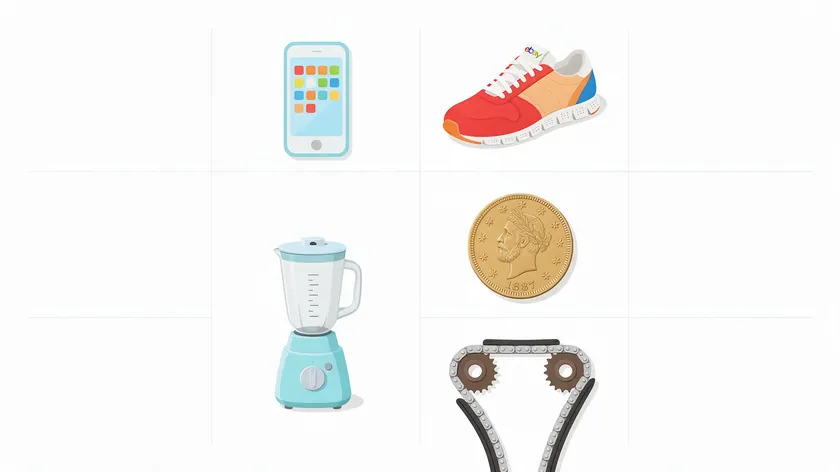
Different categories call for slightly different approaches. Here’s category-specific background advice so eBay sellers can choose between pure white, light neutral, and lifestyle backgrounds more confidently.
Electronics (Phones, Laptops, Cameras)
Use a strict white background for the primary image, shot straight-on or at a slight angle. Capture close-ups of ports and screens on the same white background as secondary images. Glossy surfaces create glare, so use diffused lighting and avoid flash.
Fashion (Clothing, Shoes, Accessories)
White backgrounds work best for flat lays or mannequin shots in the main image. When selling clothing, textured linen or fabric provides a soft background for secondary photographs—but keep it subtle. Lifestyle secondary photos from different angles help buyers understand fit and scale.
Home & Kitchen
A white background for the first image is standard. Add a few secondary shots in a subtle lifestyle setting—a light-colored countertop or neutral living room—avoiding dark or patterned surfaces. Natural wood surfaces add warmth and texture for rustic items in secondary images.
Collectibles and Antiques
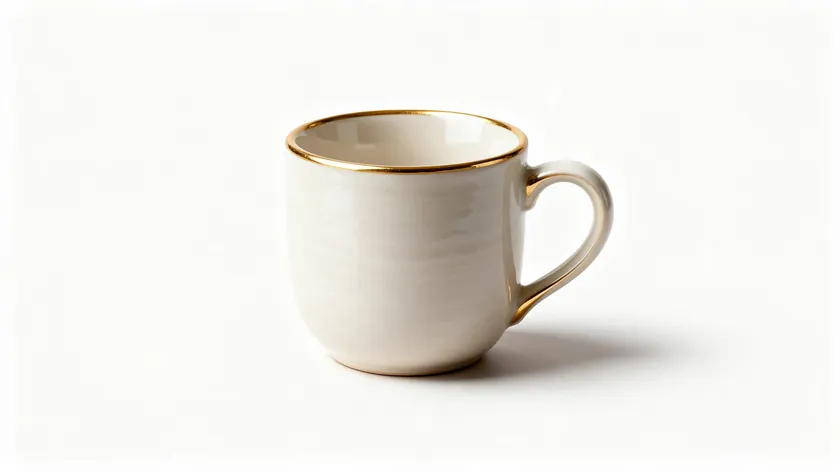
A softly lit white or light grey background won’t overpower small details like engravings or patina. Avoid busy vintage props that compete with the item for attention. Show important parts clearly in close-ups.
A clean white background makes grease, wear, and part numbers easier to see—exactly what buyers expect when hunting used parts on eBay. Photograph from different angles so sellers can confirm fitment before purchase.
Stock Photos, Manufacturer Images, and Authenticity Concerns
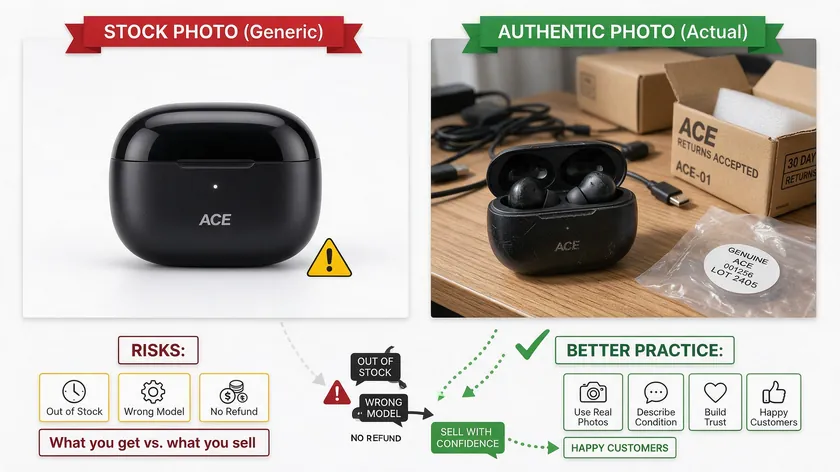
While stock photos can look great visually, they’re risky for eBay listings if misused. Generic stock photos downloaded from image sites usually don’t meet eBay guidelines because you may not own the rights and they don’t show the actual product buyers receive. All images must accurately represent the product being sold.
Manufacturer photos are acceptable for brand-new, sealed products, but the primary image should still match the exact color or model you ship. For pre-owned, collectible, or customized items, always shoot your own product photos on a white background.
A professional photographer isn’t required; a person with a phone and a clean setup can create images that stand out on the site.
If you only have cluttered in-home shots from the past, upload them to RemoveBackground.app, clean up the background to white, and re-list with more trustworthy, accurate descriptions and images.
Key Takeaways
- eBay prefers clean white or very light backgrounds, especially for primary product photos—this article focuses on eBay-only rules, not all marketplaces.
- Using a pure white background (hex #FFFFFF) on main images almost always meets eBay guidelines and helps listings stand out in search results.
- Natural lighting plus a simple white backdrop (paper roll, foam board, or light box) makes a big difference in how professional your eBay photos look.
- Lifestyle or contextual backgrounds work best for secondary images, as long as they’re not distracting and still follow eBay guidelines.
- Standardize your background style across all eBay product images to build recognition and make editing faster.
- Using stock photos or generic manufacturer photos for used, refurbished, or “open box” items is risky—eBay and buyers both expect real photos of the exact item you’re shipping.
- RemoveBackground.app can turn any background into a clean white background and add subtle shadows for compliant, polished eBay product images.
Ready to create clean, white-background eBay pictures in seconds? Head to RemoveBackground.app’s online editor to convert any existing product photos into consistent, shadow-enhanced images that sell.
FAQ
Does eBay require a pure white background for all product photos?
eBay strongly prefers white or very light backgrounds for primary images in most categories, but unlike some marketplaces, it doesn’t universally enforce a pure white background code.
As long as the background is clean, bright, and free of heavy text or graphics, you’re generally compliant. Note that certain categories like electronics and fashion carry stronger expectations for white.
Can I use a wooden table or colored backdrop for my eBay listings?
A light wooden tabletop or pastel backdrop is usually fine for secondary images, but keep the primary image on a white or light grey background so it pops in search results.
Avoid dark or patterned surfaces for hero shots—they reduce contrast and can raise policy flags in stricter categories.
Is it okay to use stock photos for used items on eBay?
Using stock photos or generic manufacturer photos for used, refurbished, or “open box” items is risky because they don’t show the actual wear, color, or included accessories.
eBay and buyers both prefer real photos of the exact item being shipped, and using misleading images can result in returns or policy action.
How can I make my background look white if my room has yellow lighting?
Shoot in natural daylight near a window with all indoor lights off, using a white board as a backdrop. Then clean the remaining color cast with a quick edit or by removing the background and replacing it with pure white using RemoveBackground.app.
Do I need professional equipment to get studio-style white backgrounds?
For most eBay sellers, a smartphone camera, a couple of white foam boards, and good natural lighting are enough. Professional lights and photo tents help with consistency, but the real upgrades come from a repeatable setup and quick background cleanup in editing—not expensive gear.